
Controlling the Invisible Margin Leak in Scaffolding Re-Rent
While manual counts resets the baseline, “drift” begins the moment operations resume, creating a widening gap between system records and… Read More

The latest release of Avontus Designer® introduces workflow improvements that reduce repeated setup and manual adjustments and give you more control.
Designer’s intelligent layout algorithm uses a widest-plank-first approach, ensuring optimal efficiency out of the box. But specialized bays, such as stairway turnaround and landings, sometimes require flexibility. With this update, you can now:

Your designs are your intellectual property. Our new toeboard text feature lets you add custom text – your company name or any branding – to your toeboards.
Key benefits:
When you show designs to clients, they see your brand. It’s a simple addition that speaks to professionalism.

We’ve upgraded our 3D rendering engine with an enhanced anti-aliasing option.
The result? Sharper details, smoother edges, and crisper visuals across every model. Combined with the new toeboard text feature, your client presentations now look more polished and professional than ever.
Beyond the headline features, there is also a wide range of refinements:
These updates are designed to remove friction in the areas that slow scaffold design teams down: repeated setup, manual adjustments, and back-and-forth during review.
Professional toeboard branding and improved 3D rendering help ensure each design is easy to read and visually consistent. This clarity makes communicating your design to clients easier.
When your designs are shared through our free design visualization app, Avontus Viewer, the process becomes more flexible. Instead of relying on static drawings, stakeholders can open the model, navigate in 3D, and review details on their own time—without needing Designer.
That typically leads to:
Switching between jobs can mean redoing the same setup work, such as in the bill of materials.
With BOM layout persistence, your preferred column order, filters, and formatting stay in place across sessions. Instead of adjusting your layout for each project, you can move directly to exporting your design and material list.
Standard Designer planking logic works well most of the time but there are situations where detailed plank customization is needed. Stair landings, turnarounds, and constrained areas, for example, may require specific plank choices.
Custom planking gives you the ability to define those requirements by bay or individual bay level. You can guide the system with your preferred widths or materials while still benefiting from automated placement.
Across similar structures or repeated layouts, this setting makes it easier to apply consistent design intent without adjusting each scaffold drawing’s settings.
Importing 3D models into Designer is often the first step in a project, and small scaling issues can slow everything that follows.
Starting in an orthogonal (non-perspective) view helps align scaffolding with the source drawings from the outset. That reduces the need for adjustments and makes it easier to begin modeling with the correct scale and orientation.
When you’re working across multiple drawings or buildings, that consistency helps keep projects moving without unnecessary setup time.
→ See how this works in your workflow
→ Get Avontus Viewer for FREE
This update introduces three major features: custom planking (specify exact plank types and widths per bay), toeboard text branding (add your company name to every toeboard for professional presentation and asset protection), and enhanced 3D rendering with anti-aliasing (sharper, crisper visuals at print scale). There are also smaller improvements like BOM format persistence, improved CAD import, and better stairway turnaround control. Together, these features reduce manual setup work and give you more control over designs.
Custom planking lets you specify exact plank types and widths for individual bays instead of relying on the default widest-plank-first algorithm. You’d use it for specialized situations like stairway turnarounds, landings, or confined spaces, where certain areas need narrow planks or specific materials. This gives you precision control without redesigning your entire scaffold.
When you add your company name to your toeboards in Designer, you add an extra layer professionalism to your presentation. Your branded toeboards make it clear your company owns the design. The text appears on all exports (3D PDF, DWG, Avontus Viewer) so it’s visible in every format.
Yes, absolutely. One key benefit of the toeboard text feature is perfect legibility at any print scale. Whether you export to PDF or DWG or present in Avontus Viewer, the text stays crisp and readable. This ensures your branded toeboards look professional in every format your clients receive.
Time savings depend on your project type. Teams working with specialized bays (stairways, turnarounds, confined spaces) save hours eliminating manual plank adjustment. BOM format persistence saves time on repetitive formatting across projects. Automatic toeboard text eliminates manual annotation. Better CAD import speeds up design startup.
Enhanced anti-aliasing smooths jagged edges and sharpens text in your 3D models. This makes small details like toeboard labels, dimensions, and fine geometry look crisp and professional. The result is more polished designs that impress clients and look better in presentations. It’s especially useful when presenting to stakeholders: cleaner visuals build confidence in your designs and can speed up approvals.
Yes. Once you define custom plank specifications for a particular configuration, those settings persist and can be reused across similar structures. This is especially helpful when designing repetitive layouts on large sites. You define the specifications once, and they’re available for similar projects going forward—eliminating repeated setup work.
Yes. Designer drawings export perfectly to ScaffoldIQ, which you can use to track the status of your scaffolds. The combination of precise designs and live site visibility delivers operational excellence at scale.
While manual counts resets the baseline, “drift” begins the moment operations resume, creating a widening gap between system records and… Read More

While manual counts resets the baseline, “drift” begins the moment operations resume, creating a widening gap between system records and… Read More
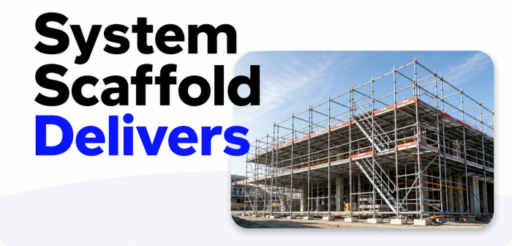
Adoption of system scaffolding is growing – and so is awareness of what it takes to get the most from… Read More