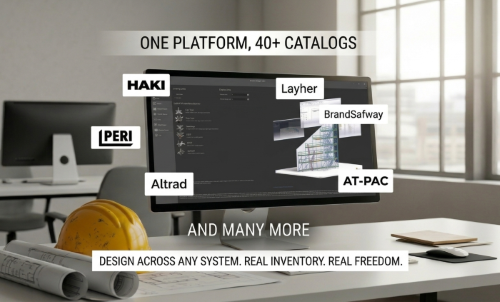
Your Scaffold Design Software Is Supposed to Work for You, Not Your Supplier
There’s a quiet trend happening in scaffold design software, and if you’re a scaffold contractor, it’s worth paying attention to.… Read More
Are you tired of spending hours fumbling with a tape measure and sketching your structure with pen and paper in the field, then returning to the office to recreate the drawing on your computer? Imagine instead using that time to win more jobs.
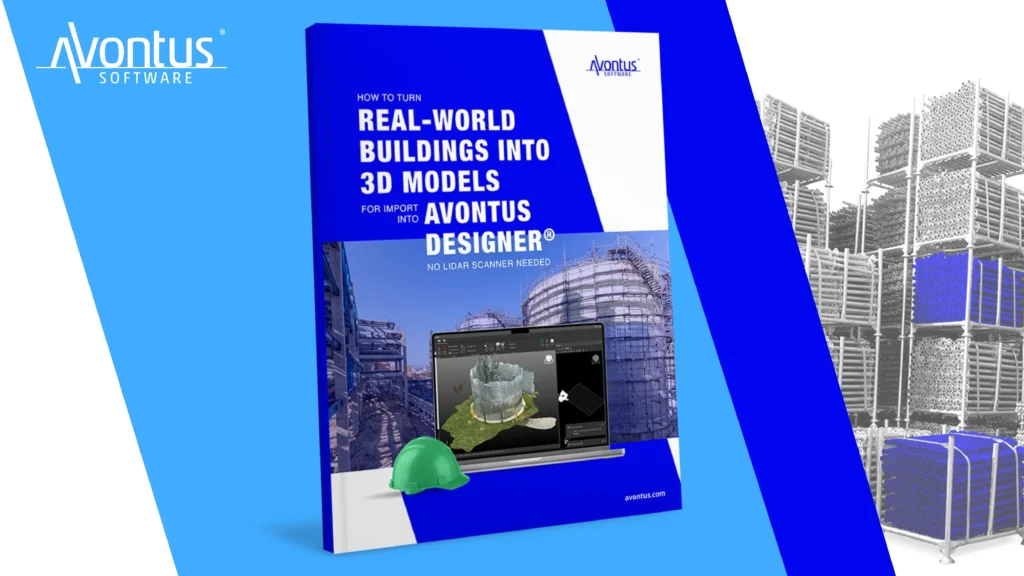
Our salesperson, Sterling Hall, loves technology and helping customers be more efficient. To build on the power of Avontus Designer, he learned how to create a 3D model of a building without any manual measurements or hand drawings. We turned his knowledge into a free, easy-to-follow guide: How to Turn Real-World Buildings into 3D Models for Import into Avontus Designer!
This step-by-step guide improves efficiency by introducing 3D scanning technology into the scaffold design process. Happily, you can use the tools you already have – your smartphone, tablet, or drone. No expensive LiDAR scanner is needed.
Every project demands precise measurements and efficient planning before you can design scaffolding. Traditionally, generating a building drawing or model can require hours of manual measurements and drawings, but with the 3D building models guide, those time-consuming tasks are a thing of the past.
Beyond saving time and effort, the guide shows you how to create stunning visualizations that impress potential clients.
This guide is perfect for scaffold designers, estimators, project managers, and anyone else looking to save time, improve accuracy, and create job-winning scaffold designs. There’s no need for costly equipment— you just need your mobile device and our powerful software.
In today’s fast-paced scaffold landscape, efficiency and innovation are crucial to staying competitive. By adopting the strategies outlined in this guide, you’ll save time, increase accuracy, and enhance your reputation as a forward-thinking professional. Clients will be impressed by the quality and precision of your 3D scaffolding designs, making them more likely to choose your services.
Dive into the guide today and take the first step toward smarter, faster, and more reliable scaffold designs. Whether you’re scanning a small building or a large construction site, this resource ensures you have the tools and knowledge to excel. Developed, tested, and sold by scaffolding experts, our software is here to save you precious time — time you can spend doing what you enjoy most.
3D building scanning for scaffold design is the process of capturing a real-world structure as a digital 3D model that can be used for scaffold planning. Instead of manually measuring and sketching a building, you create a precise digital representation—called a “digital twin”—that can be imported directly into scaffold design software
No. This guide shows how to create accurate 3D building models using tools you likely already have, such as a smartphone, tablet, or drone. No dedicated LiDAR scanner or specialized hardware is required.
When captured correctly, these models are accurate enough for scaffold planning and visualization. The guide walks through best practices to ensure reliable results without manual measurements or hand drawings in the field.
Yes. The guide explains how to import your 3D building model directly into Avontus Designer, allowing you to design scaffolding around an existing structure instead of starting from scratch.
3D scanning eliminates hours of manual measuring, sketching, and redrawing. Designers can move straight from site capture to scaffold layout, reducing rework and speeding up estimating and proposal creation.
After importing the building model into Avontus Designer, design the scaffold around it. The combined model can then be viewed in Avontus Viewer in 3D, augmented reality (AR), or virtual reality (VR), helping clients clearly see how the scaffold fits the structure.
This approach is ideal for scaffold designers, estimators, project managers, and anyone involved in planning or bidding scaffolding work—especially teams looking to improve efficiency without investing in costly equipment.
Yes. The same workflow can be used for small buildings or large, complex sites, making it a flexible option for a wide range of scaffolding projects.
Yes. The guide, How to Turn Real-World Buildings into 3D Models for Import into Avontus Designer, is free and designed to be easy to follow for users at any experience level.
Want to learn more about Avontus Designer and Avontus Viewer? Contact us at sales@avontus.com for a personalized demo.
There’s a quiet trend happening in scaffold design software, and if you’re a scaffold contractor, it’s worth paying attention to.… Read More

The NASC Skills Gap Report 2026 has put a number on something every scaffold business owner in the UK already… Read More

When speed becomes a service-level promise, not just an internal goal, it changes how clients choose you. Here’s what it… Read More
Field marked
"*" indicates required fields
"*" indicates required fields
Field marked
"*" indicates required fields
"*" indicates required fields